
An iceberg order lets you place one large order while only ever showing a small slice of it at a time. The rest stays hidden; as each visible piece fills, the next one appears, until the whole order is complete. The name is exact, what the book shows is the tip.
Read More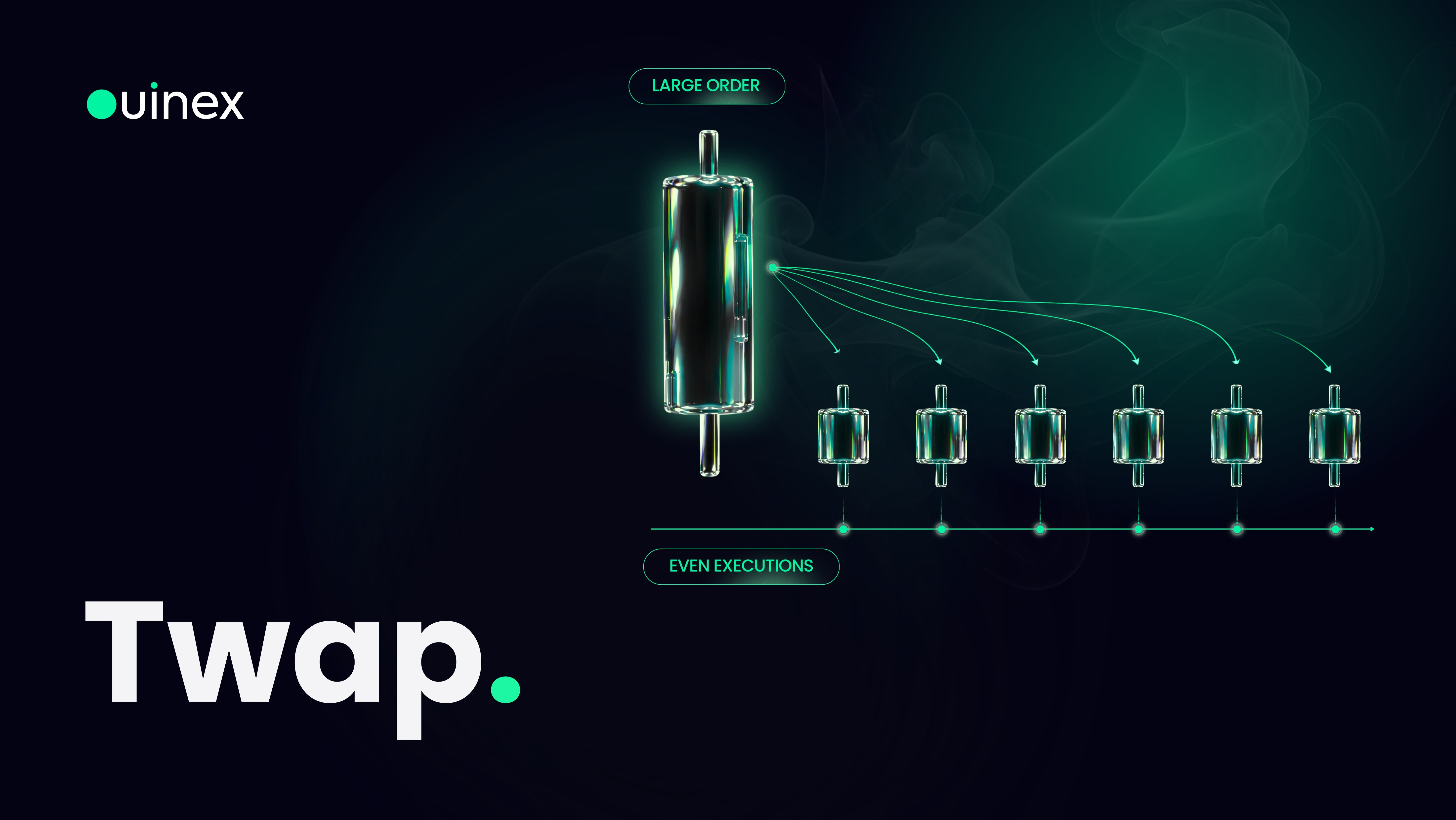
A TWAP order splits one large order into smaller pieces and executes them evenly across a time window you choose. The name stands for Time-Weighted Average Price, and the point of it is simple: one large order takes more of the available liquidity than a small one, and announces itself to everyone watching the book while it does. Several small fills spread across twenty minutes do neither.
Read More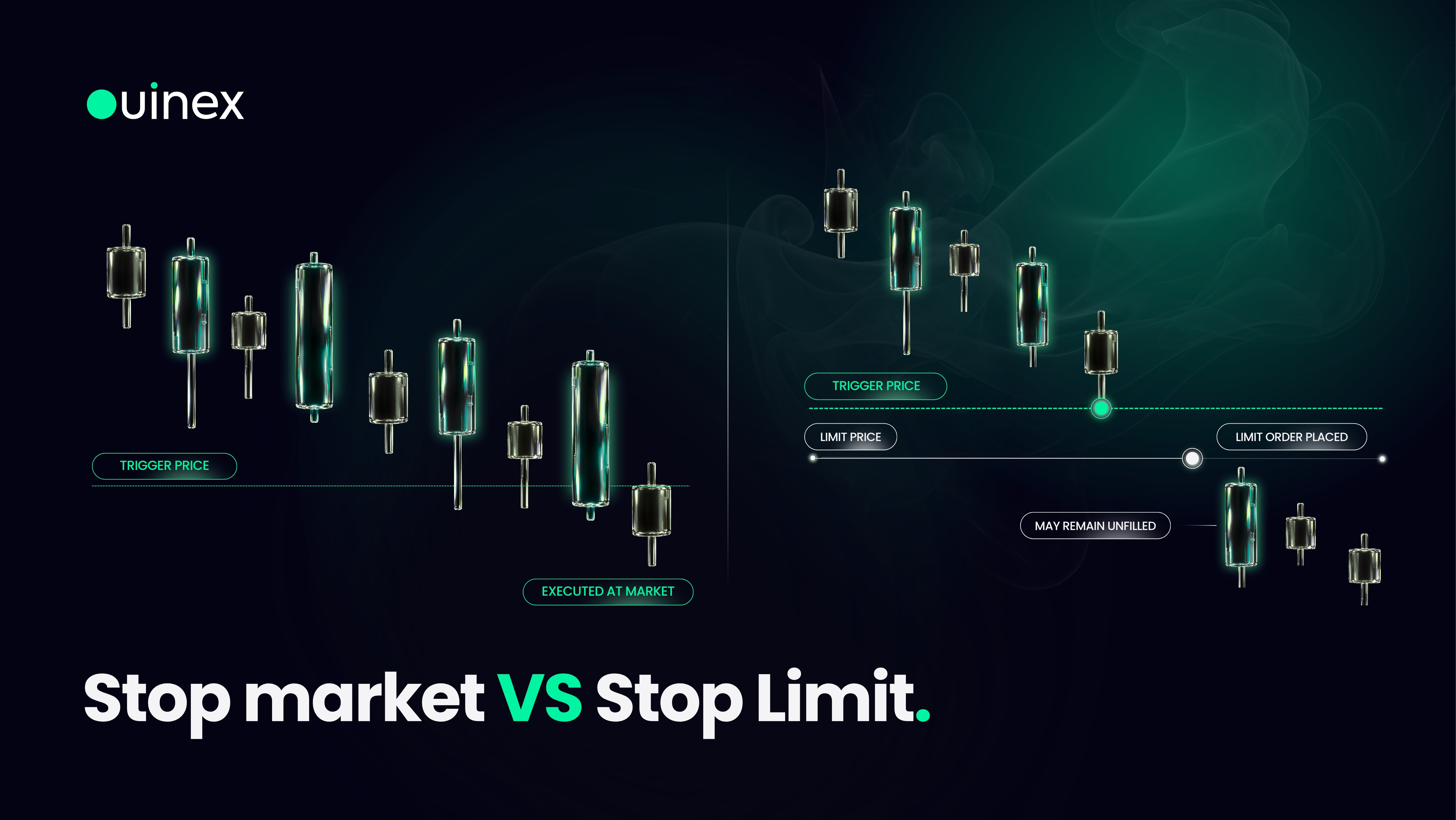
Stop market and stop limit are both trigger orders: nothing happens until the market reaches a price you set in advance, and then something does. They sit next to Market and Limit in the order type menu, and they exist so you can enter or exit a trade at a level you have already decided on, without sitting in front of the screen waiting for it.
Read More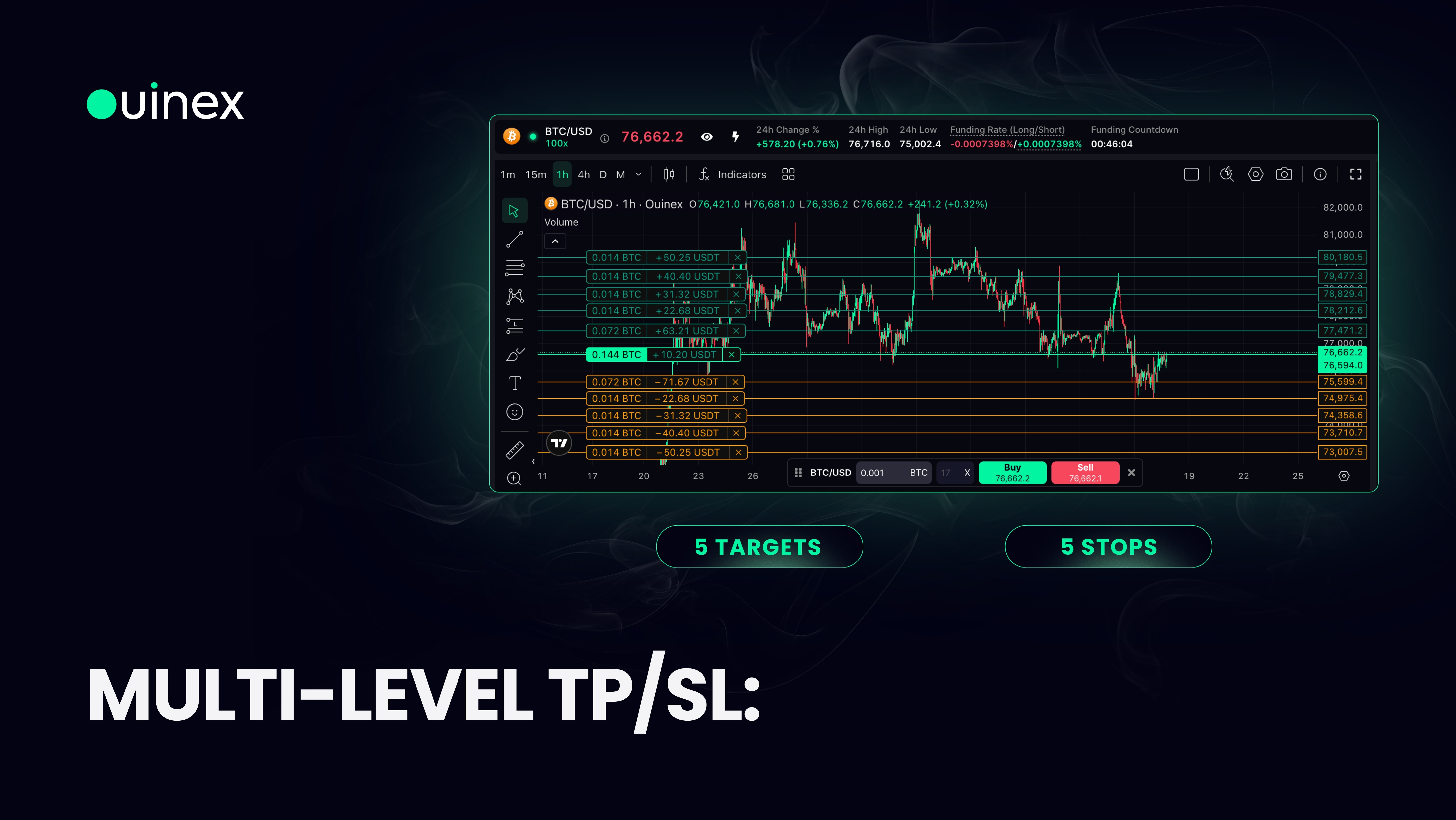
Until 4.35, a position on Ouinex could carry one take profit and one stop loss. It can now carry up to five of each, every level with its own price and its own quantity, so you can close half the position at the first target, a quarter at the second, and let the remainder run. On top of that, the stop side can be handed to one of three automated strategies: break-even, stop-win, or a trailing stop.
Read More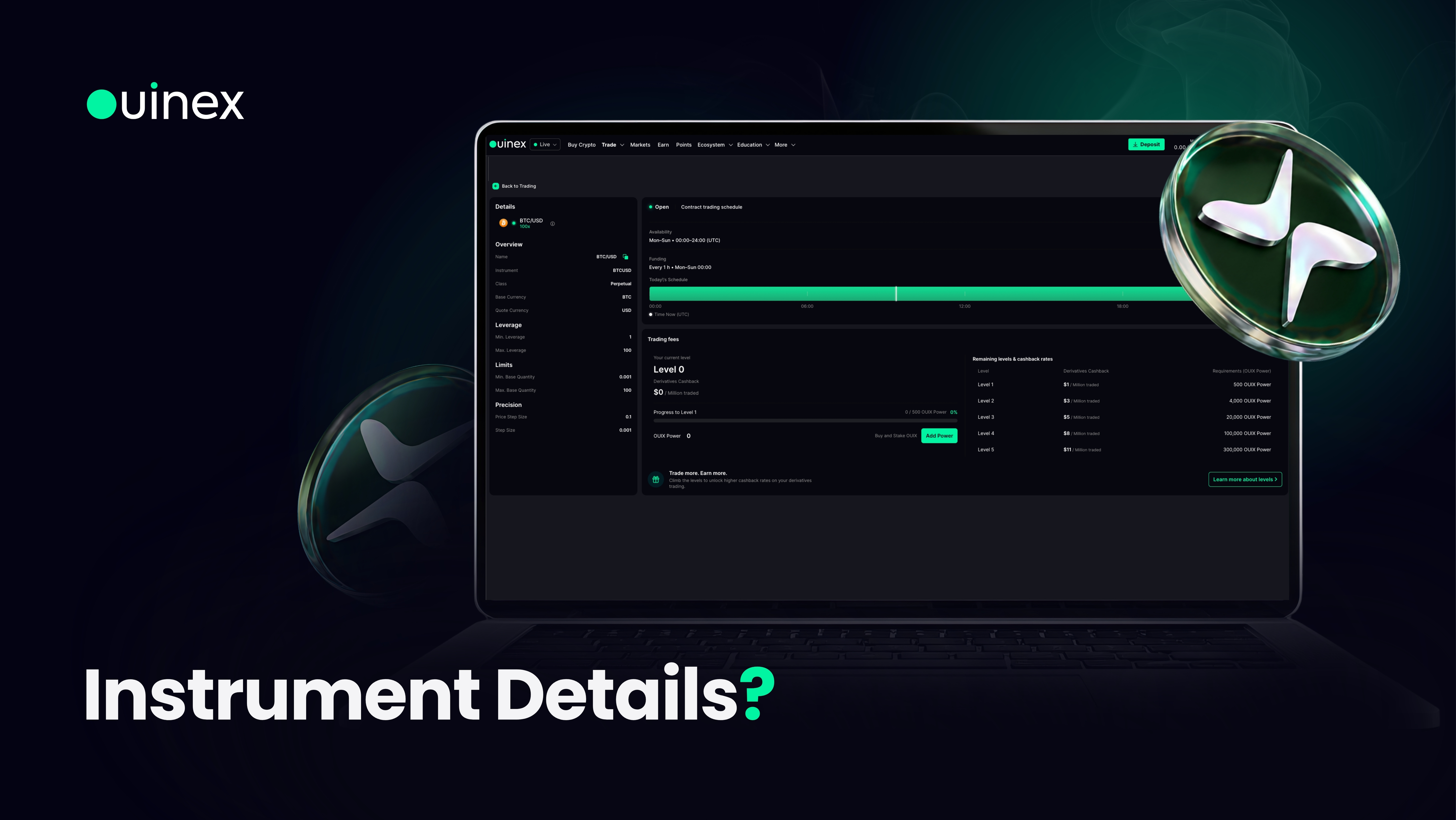
Click the eye icon next to an instrument's name on any chart and Ouinex opens a full details page for that market, the leverage available, the minimum and maximum quantity, the price step, the trading schedule with the current time marked live, and your own fee position on that instrument.
Read More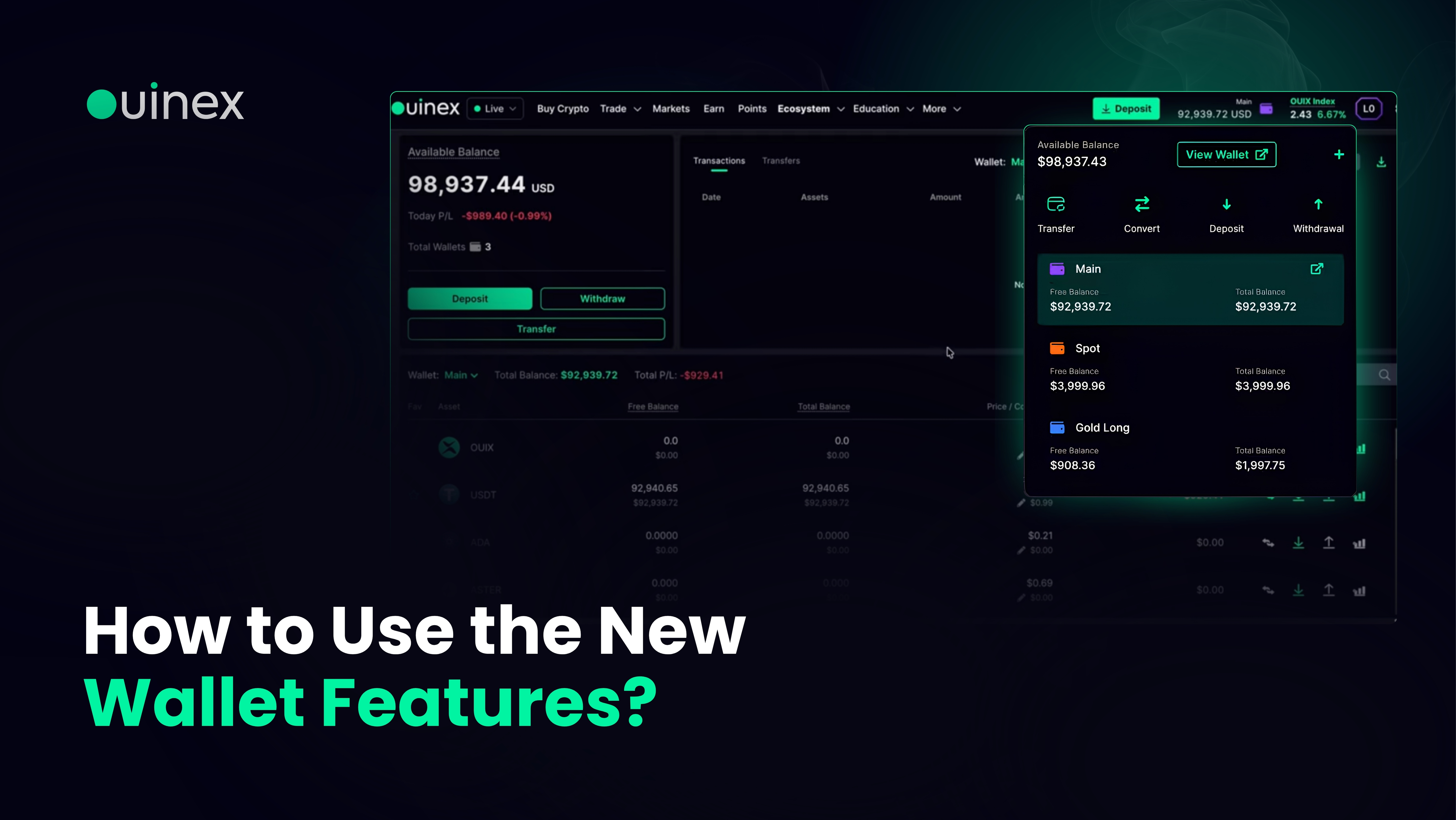
The Ouinex wallet gained four things in 4.35: colour-coding for individual wallets, filtering of transactions and transfers by wallet, a CSV export of all transactions and transfers, and a full wallet statement as a PDF.
Read More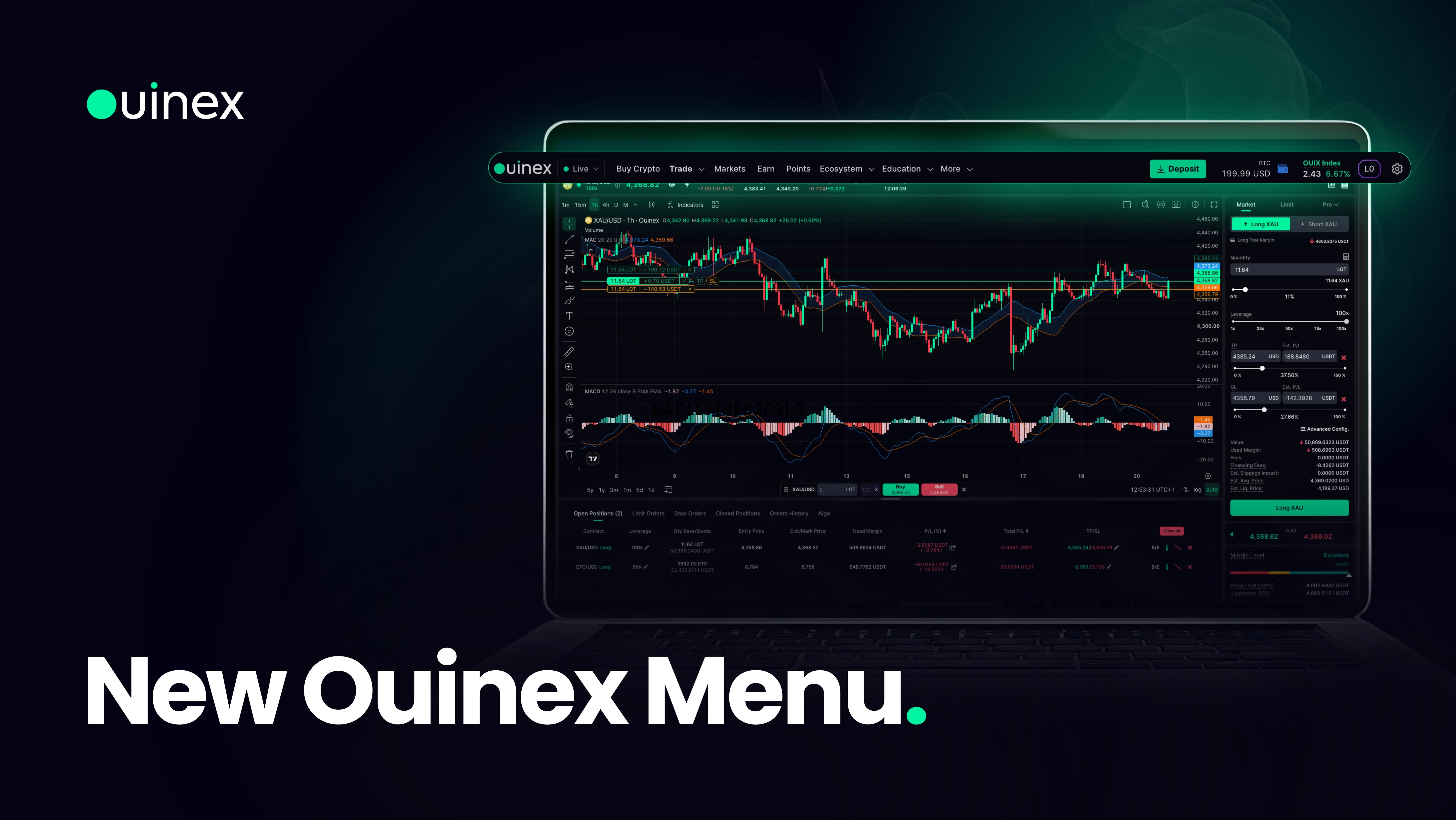
The Ouinex navigation has been rebuilt in 4.35. Two menus are new, one section has moved out of a submenu and into the top level, and the platform and the website are now linked in both directions rather than being two places you had to find separately.
Read More
Ouinex 4.35 added a direct route to your API keys and a permission model that lets you decide exactly what each key can do. The two changes go together: a key is much safer to create when you can restrict it to the one thing you need it for.
Read More
Until 4.35, changing the leverage on an order meant cancelling it and placing it again. From this release you can change it in place, on an open position, and on a pending limit order, without touching the order itself.
Read More
